
If I buy 2 devices, do I have double entitlement?
Yes and no.
You even have the right to redeem both offers, but you must take into account that only one offer per Apple ID will be considered . That is, even if you buy an iPhone and an Apple Watch at the same time, you can only use a single offer on the same Apple account.
In those cases, if you don't want to throw one of the offers away, maybe you can even connect another Apple account on one of the new devices, temporarily, to redeem the right and someone else to use it. But we've never tested it, so you'll have to find out for yourself.
How to redeem the 3 months free
To redeem the offers, you first need to connect your Apple ID on the new device.
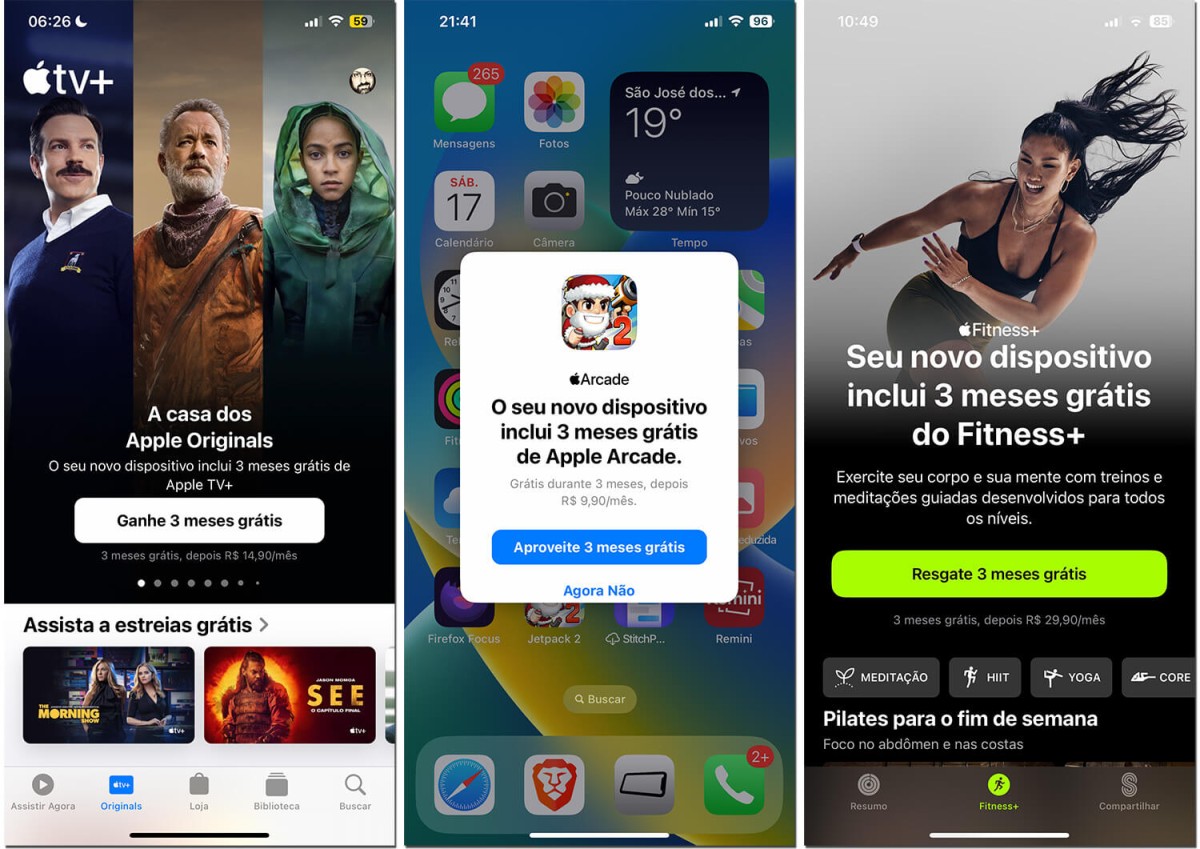
That done, just open the service application to see a button to redeem your three months free.
Therefore, you must open the following applications:
- TV : The Apple TV app comes natively on iOS. If you uninstalled it, you can reinstall it from the App Store.
- App Store: To redeem Apple Arcade, you need to open the App Store app and tap on the “Arcade” tab at the bottom of the screen.
- Fitness: The Fitness app can also be found on iPhone, iPad or Apple TV. Just open it and tap the “Fitness+” tab at the bottom of the screen.
If you are eligible, the offer will automatically appear on your screen when you open these apps. Then just accept it.
As stated above, you have 3 months after purchase to accept the offer. After that, it will disappear.
How to cancel before being charged
By taking advantage of this offer, you earn the right to subscribe to these services and not be charged for 3 months. However, after this period the subscription continues and then Apple will start deducting the monthly fee from your card.
And this is a very important point, as many people don't realize that it's only free for the first 3 months ; after that, the subscription is charged normally.
If you do not intend to continue after this period, you will have to manually unsubscribe .
Generally, when you subscribe to an app or service, you can cancel at any time and still retain full access until the end of the original subscription term. This is great so that we don't forget and later pay for something we no longer want.
However, unfortunately, for this specific offer you cannot take more advantage of the offer if you cancel beforehand. If you subscribe but cancel a week later, you will immediately lose access.
So the tip is to put a reminder on your calendar for about 2 days before the expiration date, and be notified to cancel before being charged. That is, of course, if you don't decide to keep the service.





