
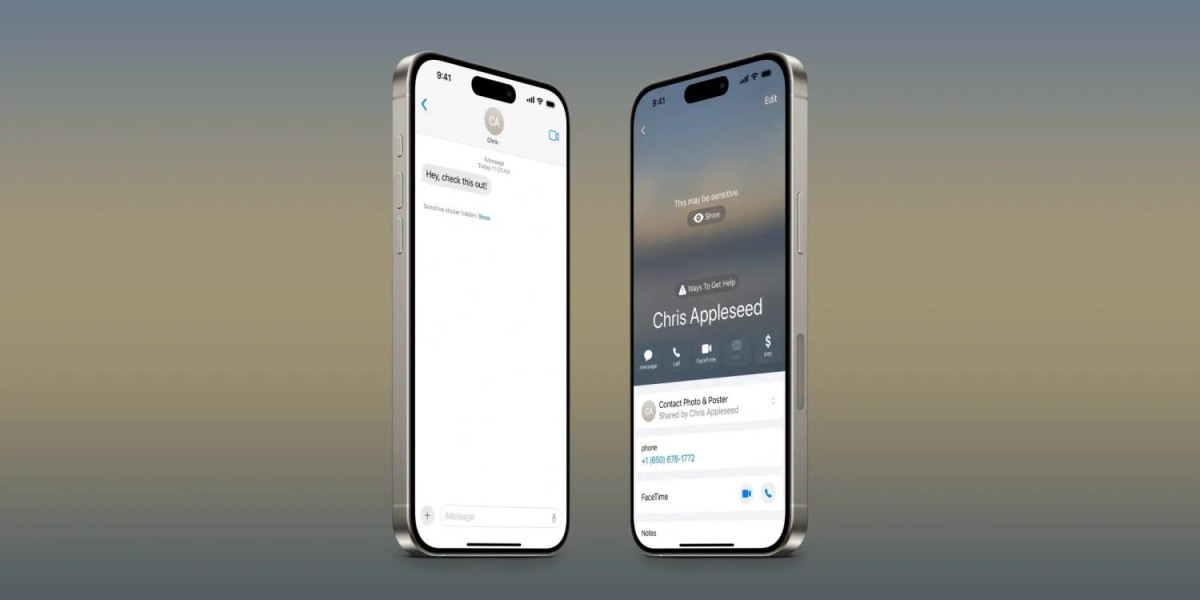
Another change in iOS 17.2 is for Sensitive Content Warning. This feature was first introduced in iOS 17 to warn people about photos and videos that might contain nudity, and iOS 17.2 expands it to more areas of iOS.
As a refresher, Sensitive Content Warning is a feature Apple says “helps you avoid receiving unwanted nude photos or videos on your Apple device.” When enabled, the feature uses on-device machine learning to analyze photos and videos and blur any content that might contain nudity.
In the initial releases of iOS 17, watchOS 10, and macOS Sonoma, Sensitive Content Warnings are available in the following places:
- iPhone or iPad: Messages, AirDrop, Contact Posters in the Phone app, and FaceTime Video Messages
- Mac: Messages
- Apple Watch: Messages and Contact Posters in the Phone app
With iOS 17.2, Apple is expanding the feature to two new places on iPhone. First, Sensitive Content Warnings are now applied to stickers in the Messages app. This aligns with iOS 17.2, allowing you to react to messages using any sticker or emoji. With this change, iOS 17.2 can detect stickers that might contain nudity and blur them before you see them.
Also in iOS 17.2, Sensitive Content Warnings now work for Contact Posters in the Contacts app. Contact Posters were introduced in iOS 17 to let users customize how they appear when they call or message with someone.
In the initial release of iOS 17, Sensitive Content Warnings were available when viewing Contact Posters in the Phone app but not the Contacts app itself. That changes with iOS 17.2, which enables the feature in the Contacts app.
The Sensitive Contact Poster feature is disabled by default. You can enable it by going to Settings, choosing “Privacy adn Security,” then looking for the “Sensitive Content Warning” option. You can choose to enable universally, or only for certain apps and features.
iOS 17.2 is currently available to developers and public beta testers. The update is expected to be released to the general public sometime later this year.





