
This written walkthrough explains a lot about security keys, but the video walkthrough embedded in this post is more in-depth, touches on additional platforms like macOS, and showcases features that I don’t touch on here. If you’re keenly interested in security keys, be sure to give it a watch, and perhaps consider subscribing to the channel for more in-depth analysis.
Table of contents
- Hardware security keys for Apple ID
- How to choose a hardware security key
- How to add hardware security keys in iOS 16.3
- How to use hardware security keys to authenticate
- Setting up an iPad or iPhone using Quick Start
- Setting up an iPad or iPhone manually
- How to disable hardware security keys in iOS 16.3
- Conclusion
Hardware security keys for Apple ID
iOS 16.3 brings two big new security-focused features to the iPhone and iPad: Advanced Data Protection, and support for third-party hardware security keys for Apple IDs. In my previous iOS 16.3 walkthrough, I explained why security keys may be particularly appealing for some people:
Video: iOS 16.3 hardware security keys explained
To be clear, most users will be fine sticking with the standard six-digit code-based two-factor authentication, but for users with particularly high profiles — celebrities, government officials, 9to5Mac bloggers — opt-in third-party hardware key support can strengthen account security even further. Because hardware keys are physical authentication devices that the user has in hand, they can prevent even an advanced attacker from obtaining a user’s second factor via a phishing scam or other attack.
How to choose a hardware security key
Apple does not provide its own hardware security keys. Instead, it’s working with the FIDO Alliance to ensure cross-platform compatibility with open standards. Therefore, third-party FIDO Certified security keys should work with iOS 16.3’s hardware security key feature. All of the FIDO2 and FIDO U2F keys that I’ve tried have worked well. The FIDO2 protocol is an evolution of FIDO U2F with expanded authentication options. For a list of certified keys, visit the FIDO Certified Showcase page.
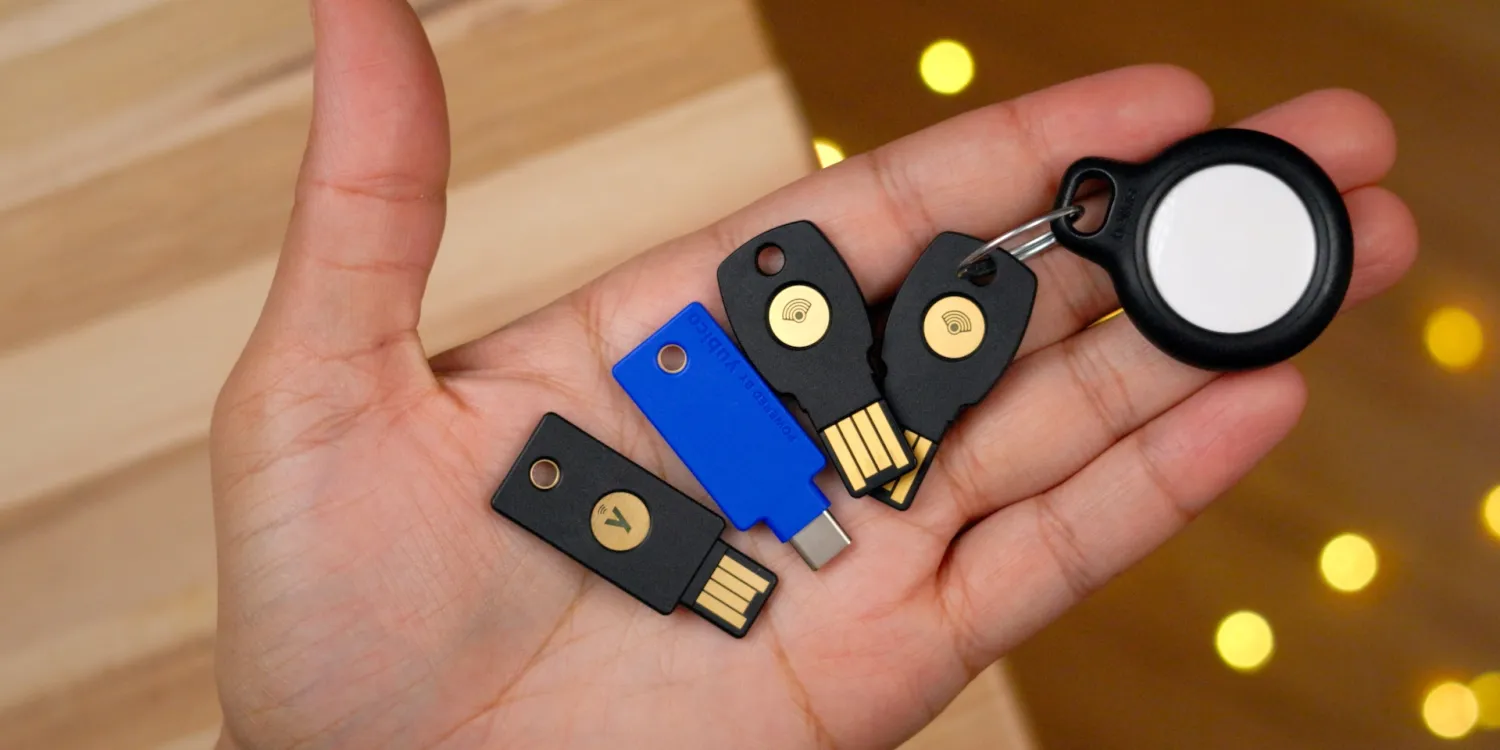
Initially, I purchased two Feitian FIDO U2F + FIDO2 hardware security keys from Amazon. These keys feature both USB-A and NFC connectivity, which allows it to connect to Macs, iPads and iPhones via a USB-A dongle, and to the iPhone via wireless NFC. Like many others, Feitian’s key is secured by NXP semiconductors, a dutch corporation that co-invented NFC alongside Sony.
I also purchased two Yubico keys. The Yubico Security Key C features NFC connectivity, but comes with a USB-C connection instead of USB-A. The USB-C connection allows it to connect USB-C-enabled iPads and Macs without dongles, making it my favorite key of the bunch.
The YubiKey 5 offers multi-protocol support including FIDO2, Yubico OTP, OATH HOTP, U2F, PIV, and Open PGP. This key features both USB-A and NFC connectivity, and, due to its multi-protocol nature, is the priciest of all of the hardware keys mentioned here. If you’re only concerned about securing your Apple ID, it’ll be best to stick with cheaper options, since having the other protocols has no bearing on Apple’s support for security keys.
iPhones, iPads, and Macs will be able to take advantage of hardware security keys with a USB connection via a dongle, if necessary, while iPhones can also take advantage of more convenient NFC-enabled keys. Sadly neither Macs nor iPads feature NFC. Many of the FIDO-compatible keys that you’ll find feature both USB and NFC support built into the same key. USB connectivity uses an HID protocol like a keyboard for driverless interfacing.
A fun fact is that security key support has been baked into Safari for some time, even before iOS 16.3’s rollout. For example, I can login to the Apple ID website and authenticate with a security key using my first generation iPhone SE and a Lightning to USB-A dongle. It’s only for the system level stuff that iOS 16.3 is a requirement.





