
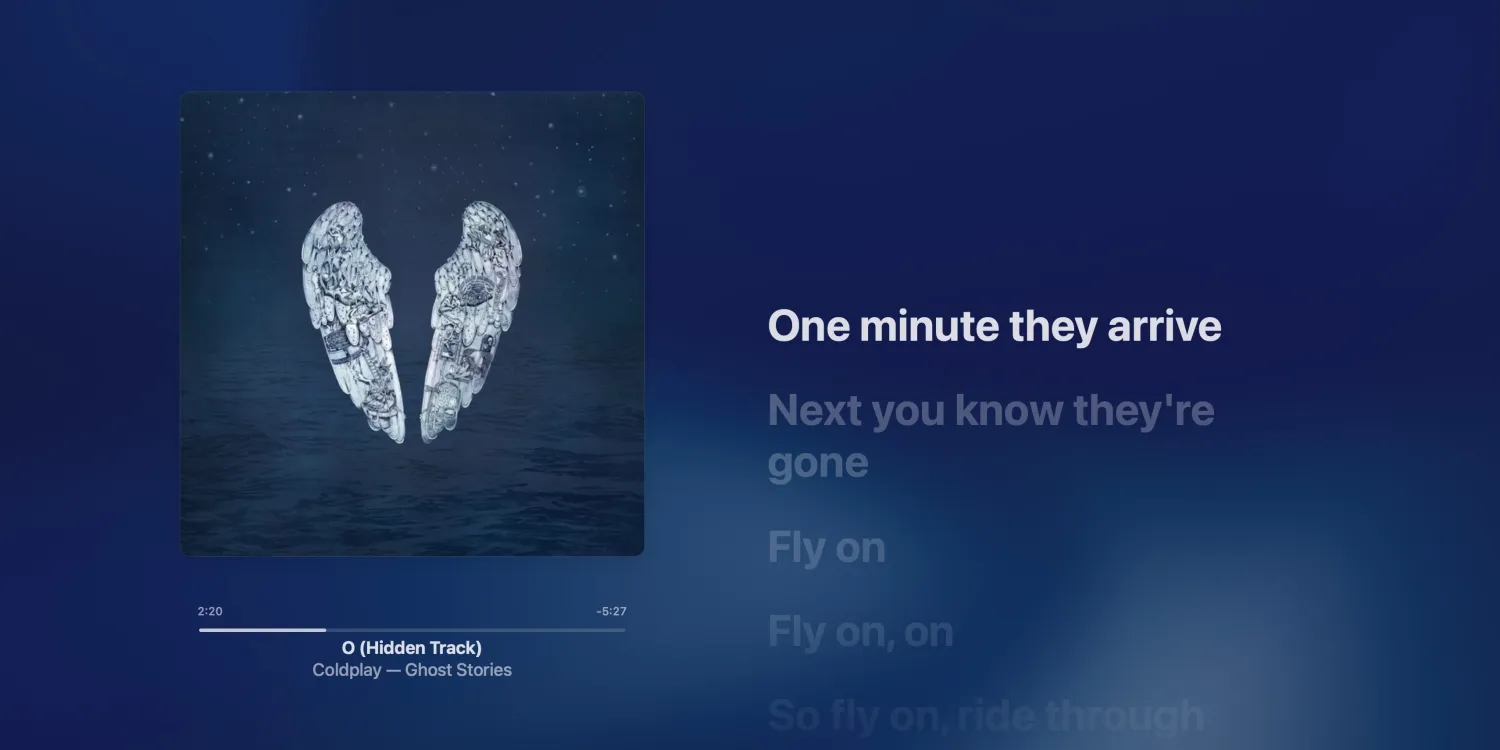
This feature isn’t new. In fact, it’s been in macOS since macOS 11 Big Sur. But it’s a feature that I always forget about, and when I remember it exists, I always forget how to actually activate it.
To view Apple Music lyrics in fullscreen on the Mac:
- Open the Music app.
- Click the “Window” button in the menu bar.
- Choose the “Full Screen Player” option.
You can also activate the fullscreen interface in the Music app with this keyboard command: Command ⌘ + Shift ⇧ + F.
The fullscreen lyrics interface on the Mac shows the song’s album art, a visualizer background based on the color of the album, and playback controls. You can mouse over the playback controls to find more options.
A few other things about this feature:
- Time-synced lyrics will move line-by-line as the song plays.
- “Apple Music Sing” lyrics will move beat by beat.
- If a song doesn’t have lyrics available, entering fullscreen mode will just show the album art and playback controls.
To be frank, this interface isn’t particularly useful in day-to-day life, but it is visually appealing. I like to use it on my second display when I’m not actively using it for something else. You can also view lyrics on the Mac in the sidebar of the app just by clicking the lyrics button in the top menu.





