
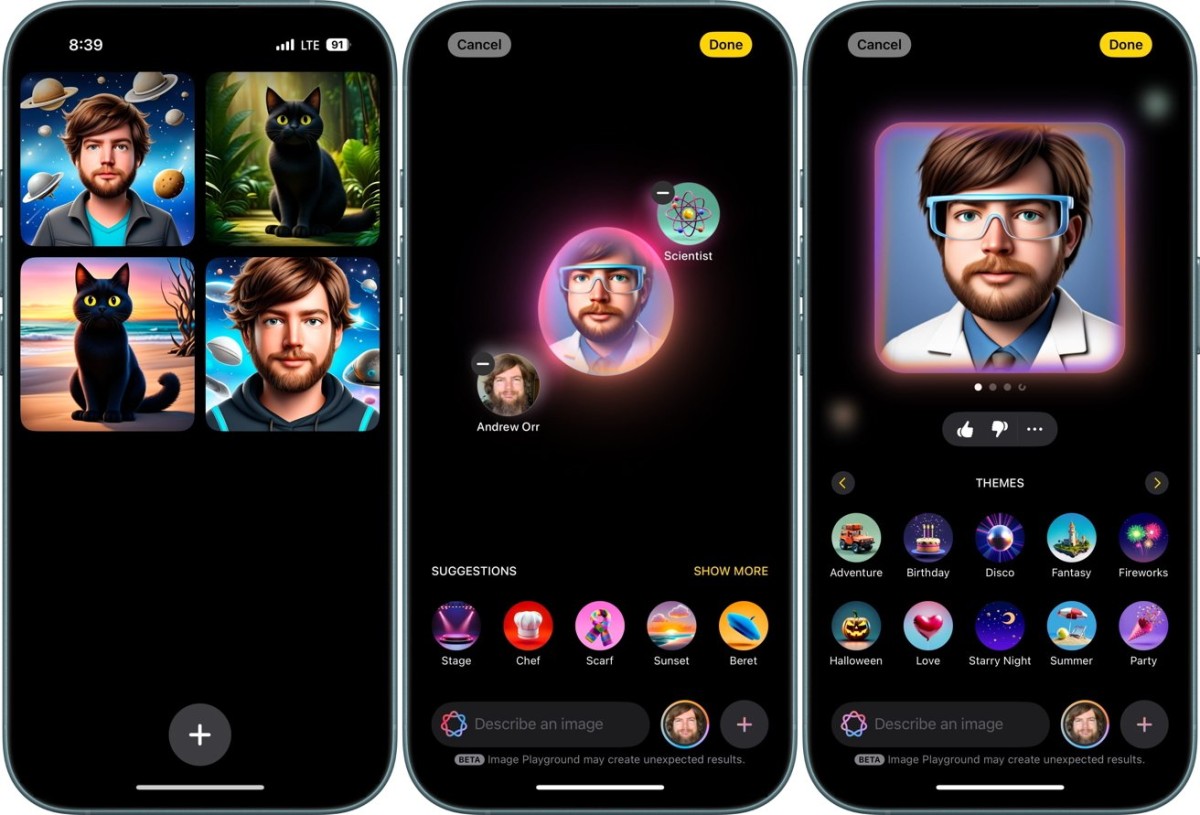
Apple continues to push the boundaries of digital creativity with the release of Image Playground, a brand-new feature in iOS 18.2 that lets iPhone users create personalized and funny visuals using AI. Exclusively available to iPhone 16 and Pro models, this tool transforms your device into a mini art studio, making it easy to generate unique images, cartoons, or artistic selfies from simple text prompts.
What is Image Playground?
Debuting in the developer beta of iOS 18.2, Image Playground is part of Apple's expanding Apple Intelligence suite. Designed to be intuitive, the tool allows users to enter text descriptions to create custom digital artwork. Whether you're looking to turn a regular selfie into a cartoon character or experiment with abstract designs, this app offers a fun and creative outlet right on your iPhone.
The tool comes with a selection of visual styles like Animation and Illustration, giving users flexibility to craft anything from whimsical images to polished digital art. As Apple collects user feedback from beta testing, the app continues to evolve, improving speed, accuracy, and user experience with each update.
How to Get Started with Image Playground:
If you're ready to transform your selfies into something unique, here’s how to use the new Image Playground:
-
Access the App
- Open Image Playground by tapping the app icon on your iPhone’s home screen. If you’re on the iOS 18.2 beta, you should already see it installed.
-
Choose Your Style
- Pick from styles like Animation or Illustration, depending on how you want your image to look.
-
Enter a Text Prompt
- Use descriptive prompts like “funny cartoon selfie” or “abstract watercolor portrait” to guide the AI in creating your image.
-
Customize Your Art
- Adjust settings and tweak prompts to refine your image. You can preview changes in real-time, thanks to the latest updates improving rendering speed.
-
Save and Share
- Once you’re satisfied with your creation, save it to your gallery or share it directly on social media for some laughs.
New Features & Enhancements
Apple has been rolling out consistent updates to improve the tool’s capabilities. The second developer beta of iOS 18.2 has already shown significant improvements in how accurately the app translates prompts into visuals, reducing the lag time for generating images. The integration of Image Wand allows for even more precise edits, adding polish to your digital creations.
The app isn't just for fun selfies; it’s also integrated into other apps like Notes, making it a versatile tool for personalizing projects or adding unique visuals to your content.
Looking Ahead
Apple plans to release Image Playground to the public later this year, making it available to a broader audience. As the tool continues to mature, it could become a staple in Apple's creative ecosystem, bringing AI-driven artistry into the hands of everyday users.
So, if you’re itching to get creative or simply want to jazz up your selfies with a dash of digital flair, keep an eye out for the full release of Image Playground with iOS 18.2!





