
Using the Workout app on Apple Watch to track your fitness activity with the default setup means you have to use the 3, 2, 1 countdown before it begins.
But there are a number of scenarios where that won’t prove to be the most accurate or convenient. Fortunately, you can turn on a switch to skip the countdown and get a “start” button to choose exactly when you want to begin workout tracking.
Or also skip the countdown another way
How to turn off the Apple Watch Workout app countdown
Option 1
This workaround can be used with any Apple Watch.
- After you start a workout, tap your Apple Watch screen as soon as you see the countdown to skip it and begin your workout right away
Option 2 for Apple Watch Ultra
This strangely appears to be hardware limited to Apple Watch Ultra for now.
- Open Settings on Apple Watch Ultra
- Swipe down and choose Workout
- Swipe down again and tap the toggle next to Precision Start
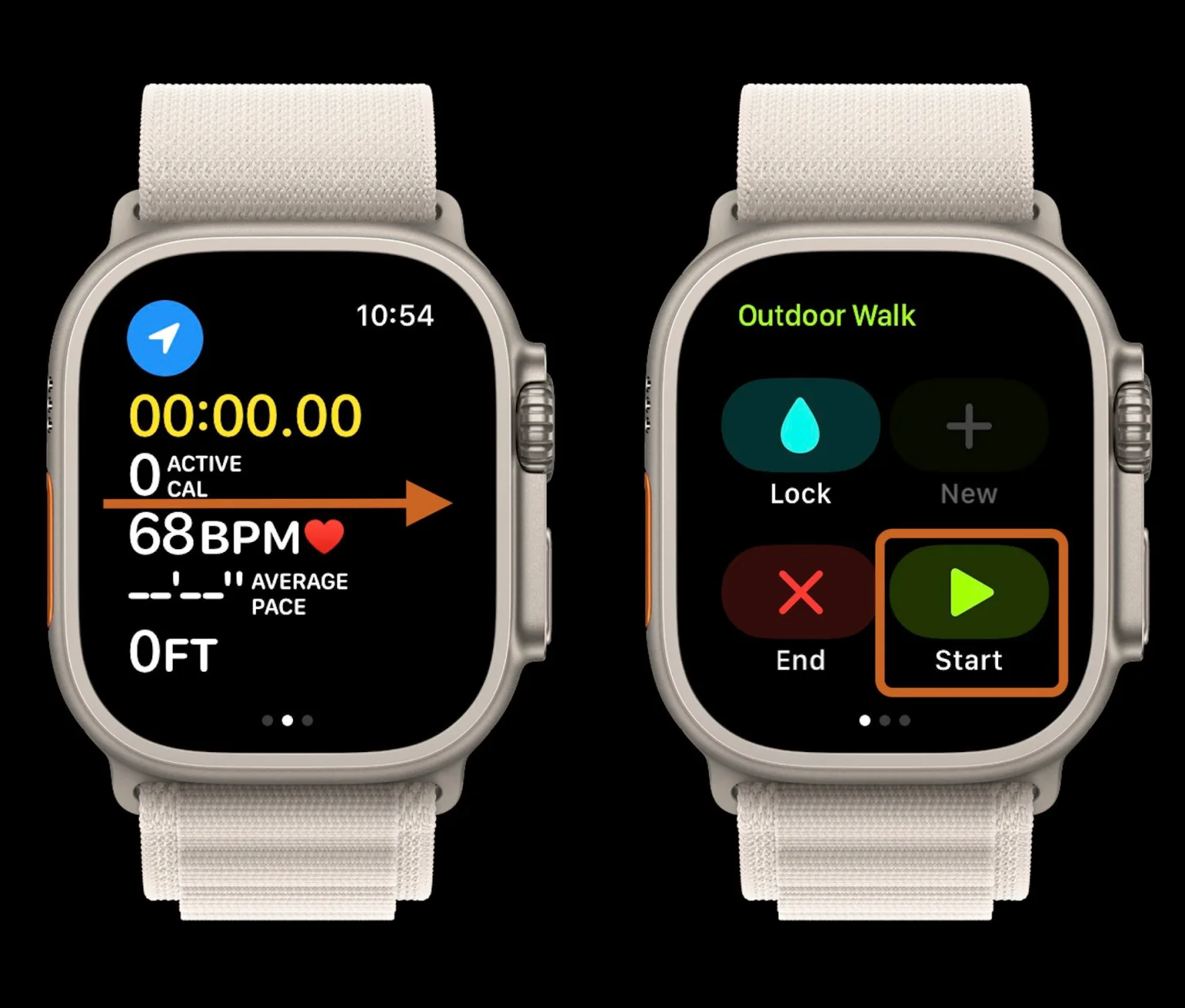
- Next time you start a workout you’ll see the main screen > swipe from left to right > tap Start when you’re ready to begin tracking
- Important: You’ll need to start the workout manually or with the side button on Apple Watch Ultra – if you use Siri, the countdown will still happen even with Precision Start on
You can also turn on the feature on iPhone with the Apple Watch app > Workout > Precision Start.
Here’s how it looks to turn on and use Precision Start:
Now when you start tracking a workout by either manually tapping one in the Workout app or by using the side button on Apple Watch Ultra you’ll see the main screen with the time at 00:00:00.
Swipe from left to right to see the Start button, tap it to instantly start your workout.





