
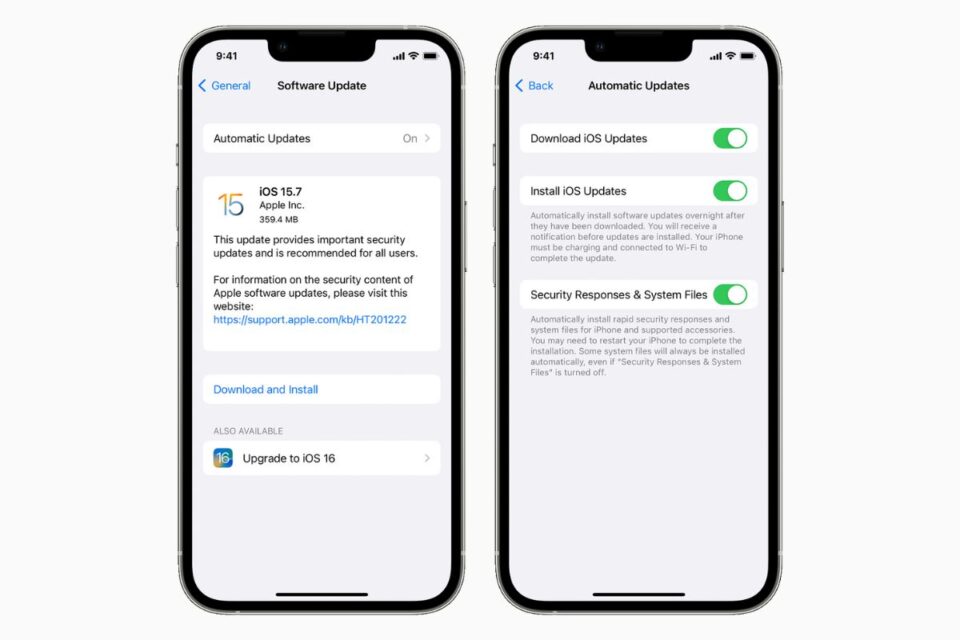
As Apple has previously highlighted, despite the convenience of automatic iPhone software updates, users who use the feature will never see the latest updates installed on their devices on the day of release, with the iPhone maker saying it delays the installation of automatic software updates to give priority to users who manually install the latest version.
With most iOS updates including new features and software improvements, automatic updates can sometimes prevent you from having the latest and greatest, and therefore, you may want to disable the automatic installation capability to choose when you upgrade to the latest iOS version.
How to turn off automatic iPhone software updates
- Open the Settings app and tap General
- Select the Software Update option
- Tap the Automatic Updates option and configure the settings
You can choose to disable automatic software updates completely or choose to only download the latest update without installing it without your prior say-so.





