
Apple has been expanding its financial offerings with one of the latest additions being the Apple Card Savings Account that launched earlier this spring.
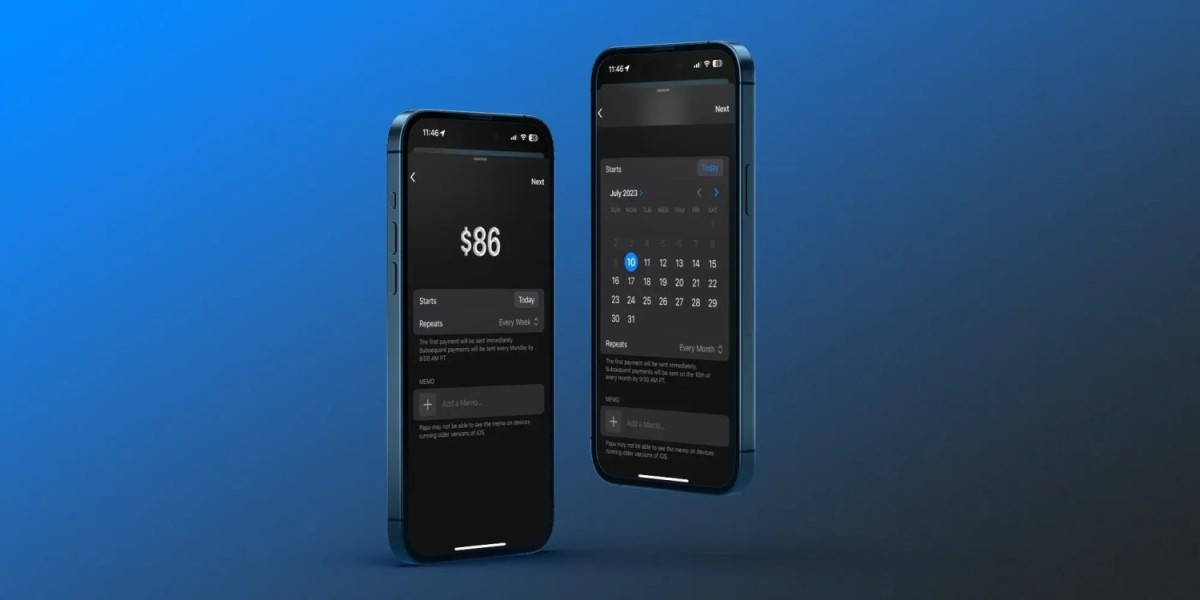
Now iOS 17 brings handy scheduled payments for Apple Cash on iPhone and iPad. When you set up recurring Apple Cash payments, the first one will be made immediately with the following ones going through at 9 am PT on the schedule you set up.
How to set up recurring Apple Cash payments on iPhone with iOS 17
- In iOS 17, open the Messages app and choose a contact
- Tap the + icon to the left of the text field
- Choose Cash
- Tap $1/Show Keypad
- Now choose Recurring Payment at the bottom
- Pick a start date, repeat frequency, and add a memo if you’d like
- Choose Next in the top right corner
- Tap the send button (up arrow) to start the recurring payment





