
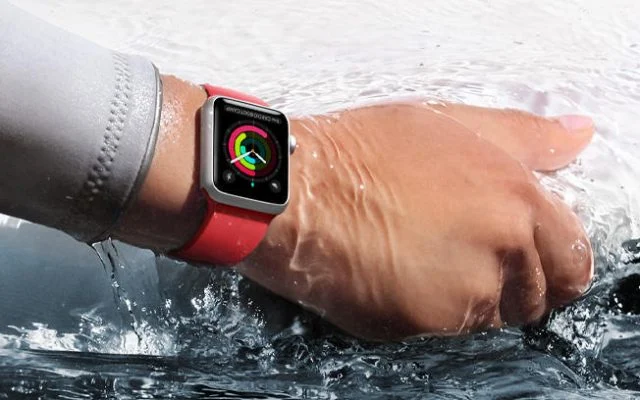
New smart watches bring many innovations. Among the remarkable features of smart watches is their water resistance rating. Since the introduction of the Apple Watch Series 2 device, the company also offers water resistance support up to 50 meters in its new smart watches that it has added to the family. Thus, users can use smart watches wherever they want without worrying about any problems that the watches may experience as a result of contact with water.
As mentioned, smart watches belonging to the Apple Watch family require some processes to be water resistant. These processes can be briefly listed as setting the Apple Watch watch to be waterproof and throwing the water out if water gets inside the watch. In the first place, setting the device to be waterproof locks the screen to prevent accidental operation under water. Expelling the water, which is another process, ensures that the water that has leaked into the watch is thrown out. Both of these operations can be performed using the same feature.
Water Resistance
So, if smart watches are certified for water resistance, why do they need such extra protection? At this point, we should immediately point out that water resistance and waterproofing do not mean the same thing. The water resistance certificate states that the internal components inside the smart watch are manufactured to be resistant to damage after contact with water under certain conditions. In smart watches with the aforementioned certificate, water may leak into the watch after contact with water, but since the inside of the watch is covered with water-repellent substances, it is not possible for water to damage the internal components.
It should be noted that this resistance we mentioned gradually decreases over time. As resistance decreases over time, the likelihood of damage to Apple Watch family products in case of contact with water increases inversely. However, the depth distance in the certificate is also an important parameter for the resistance of the smartwatch. For example, if a smartwatch with a water resistance of 50 meters is submerged in water beyond 50 meters, the resistance of the watch is lost more quickly. In addition, contact of the smart watch with soap or harsh chemicals, as well as contact with water, causes this resistance to decrease more rapidly. Another reason why smart watches break their resistance to water is to leave water in the watches for a long time.
What Should We Do to Maintain Resistance?
This is how we can talk about the elements that reduce the resistance of Apple Watch products to water. It is possible to overcome the first two problems by not using the smart watch during a deep dive or washing hands with soap. However, what should we do if water has leaked into the smart watch and we have not been throwing the water out for a long time? At this point, the process of throwing out the water that has manually leaked into the watch comes into play.
It is possible to manually expel the water leaking into the Apple smart watch in 3 separate steps. For this, first of all, it is necessary to lock the use of the device so that too much water does not leak into the smart watch. To do this, we open the "Control Center" by using the upward swipe from the bottom of the smart watch's dial. After continuing to scroll until we see the water droplet icon in the Control Center, we tap the water droplet icon. From the moment we touch this icon, the smart watch we use will be locked against water. Users will also be able to view the status of their smartwatches being locked against water with the water drop icon on the screen
After all these processes, smart watches can be used safely even if they are under water or in contact with water. However, since the contact with water will continue throughout the usage period, users cannot access the smart watch until the water lock is deactivated. In order to access it again, the water lock mode must be turned off by touching the water drop icon on the screen again.
Manually Ejecting the Water
However, it should be noted that the process is not limited to this. Although the water lock is used, water may have leaked into the smart watch after physically using it under water or in contact with water. In such a case, the same process must be continued and the water that has leaked into the smart watch must be thrown out. In order to do this, after the water lock is unlocked, the Digital Crown surrounding the Apple Watch must be turned. As the Digital Crown bezel is rotated, the water drop icon on the screen of the smartwatch first turns into bubbles and then disappears completely. The complete disappearance of the icon indicates that the water that has leaked into the smart watch has been completely thrown out. When the process is complete, Apple Watch warns users with a notification sound.





