
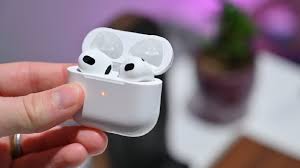
The AirPods Pro are some of the best wireless earbuds available on the market. That's especially true for those depending on other Apple products, as they get to utilize ecosystem features, such as automatic device switching. One of the neat perks that the AirPods Pro offer is Active Noise Cancelation (ANC). This feature helps block surrounding sound to help you focus or enjoy a more immersive audio listening experience. For ANC to work, Apple relies on silicone tips that rest in your ear canals. The key to an effective ANC and a richer bass is having a good seal. Consequently, the company includes several tips in the AirPods Pro box to match different ear sizes. Additionally, it has built an Ear Tip Fit Test that helps you pick the correct tip size. Here's how to perform this test through your iPhone.
- Wear your AirPods Pro.
- Launch the Settings app on iOS.
- Click on your AirPods' name at the top
- Tap on Ear Tip Fit Test.
- Click on Continue.
- Tap the Play button at the bottom.
- The AirPods Pro will play a very short audio track to test the fit. Don't remove your AirPods during the process.
- Once the track ends, it'll display the results for both ears. Note that each ear could require a different tip size as they're not identical.
- If the test is a success, click on Done in the top right corner. If the seal is bad, try different tip sizes (by pulling the existing tips out and pushing the new ones in), and repeat the Ear Tip Fit Test.
By default, the Medium ear tip is installed when unboxing a new pair of AirPods Pro. First-gen users can find Small and Large extra tips in the box, while second-gen owners receive the same tips in addition to an Extra Small variant. It's worth noting that the AirPods Pro 2 tips aren't compatible with the AirPods Pro 1 and vice versa. Apple claims that the mesh is significantly denser on the first-gen tips, causing a noticeable difference when installed on the AirPods Pro 2.





