
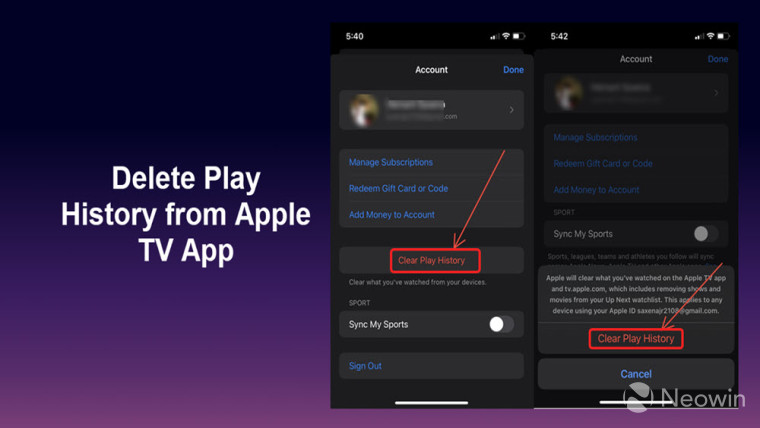
How to remove your play history from Apple TV
The process of removing your play history from the Apple TV app is quite simple even when it’s not readily apparent. Just follow the list of instructions given below.
This will clear your play history from the Apple TV app and the changes will be applicable to any device that was logged in with the same Apple ID.
- On your iPhone, Home Screen tap the Apple TV icon.
- Switch to the Watch Now tab. Tap the profile icon located in the upper-right corner of the screen.
- Tap the Clear Play History button (text marked in red). Hit the button again to confirm the changes.
- When done, close the app and exit.





