
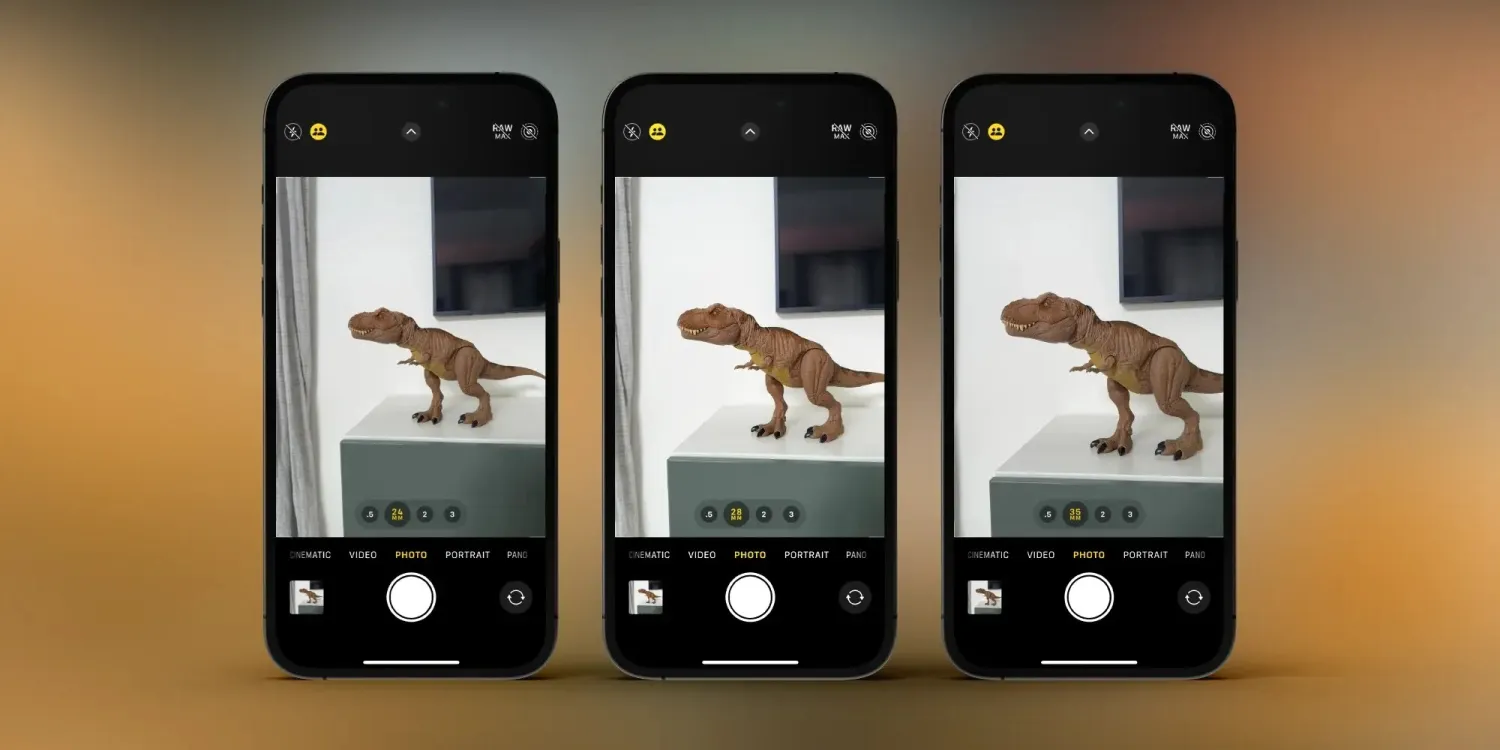
The default for the main camera on the 15 Pro and 15 Pro Max is the 24 mm focal length (1x zoom) but if you prefer, you can set the main camera to default to 28 or 35 mm.
We’ll look first at how to quickly switch focal lengths, then how to customize your setup.
- Related: iPhone 15 camera vs 15 Pro camera: What sets them apart?
How to switch iPhone 15 Pro camera focal lengths
- Open the native Camera app on your iPhone 15 Pro
- Tap the 1x button to quickly switch between 24, 28, and 35mm focal lengths (equivalent to 1x, 1.2x, and 1.5x zoom)
- You can also press and hold on the 1x zoom button to manually slide between the focal lengths
How to customize iPhone 15 Pro focal lengths
- Open the Settings app on your iPhone 15 Pro
- Swipe down and choose Camera
- Swipe down again and tap Main Camera
- Now you can choose 24, 28, or 35 mm as your default main camera lens
- You can also toggle off 28 or 35 mm focal lengths if you prefer not to have those as quick tap options





