
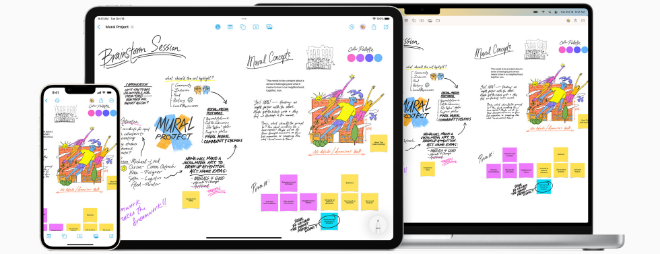
How to access your Freeform boards on all your Apple devices

Apple’s all-new Freeform app is included in the latest versions of iOS, iPadOS, and macOS. Freeform helps users organize and visually lay out content on a flexible canvas, giving them the ability to see, share, and collaborate all in one place without worrying about layouts or page sizes. Users can add a wide range of files and preview them inline without ever leaving the board. Designed for collaboration, Freeform makes it easier than ever to invite others to work on a board together. Users can even collaborate with others while on a FaceTime call. Freeform boards are stored in iCloud, so users can stay in sync across devices.

How to access your Freeform boards on all your Apple devices
iPhone News
17-12-2022 12:29

Here’s how to access your Freeform boards on all your Apple devices:

After you sign in with your Apple ID, you can turn on Freeform in iCloud settings so that all the boards you create, share, and delete are updated on all your Apple devices automatically.

Note: Freeform is available on macOS Ventura 13.1, iOS 16.2, iPadOS 16.2, or later.

Turn on Freeform on Mac

On your Mac, choose Apple menu  > System Settings, then click [your name] at the top of the sidebar. If you don’t see your name, click Sign in with your Apple ID to enter your Apple ID or to create one.
Click iCloud on the right, then turn on Freeform if it’s not already on.

Turn on Freeform on iPhone or iPad

Go to Settings > [your name] > iCloud.
Below Apps using iCloud, tap Show All, then turn on Freeform if it’s not already on.


COMMENTS

Uploading...


