
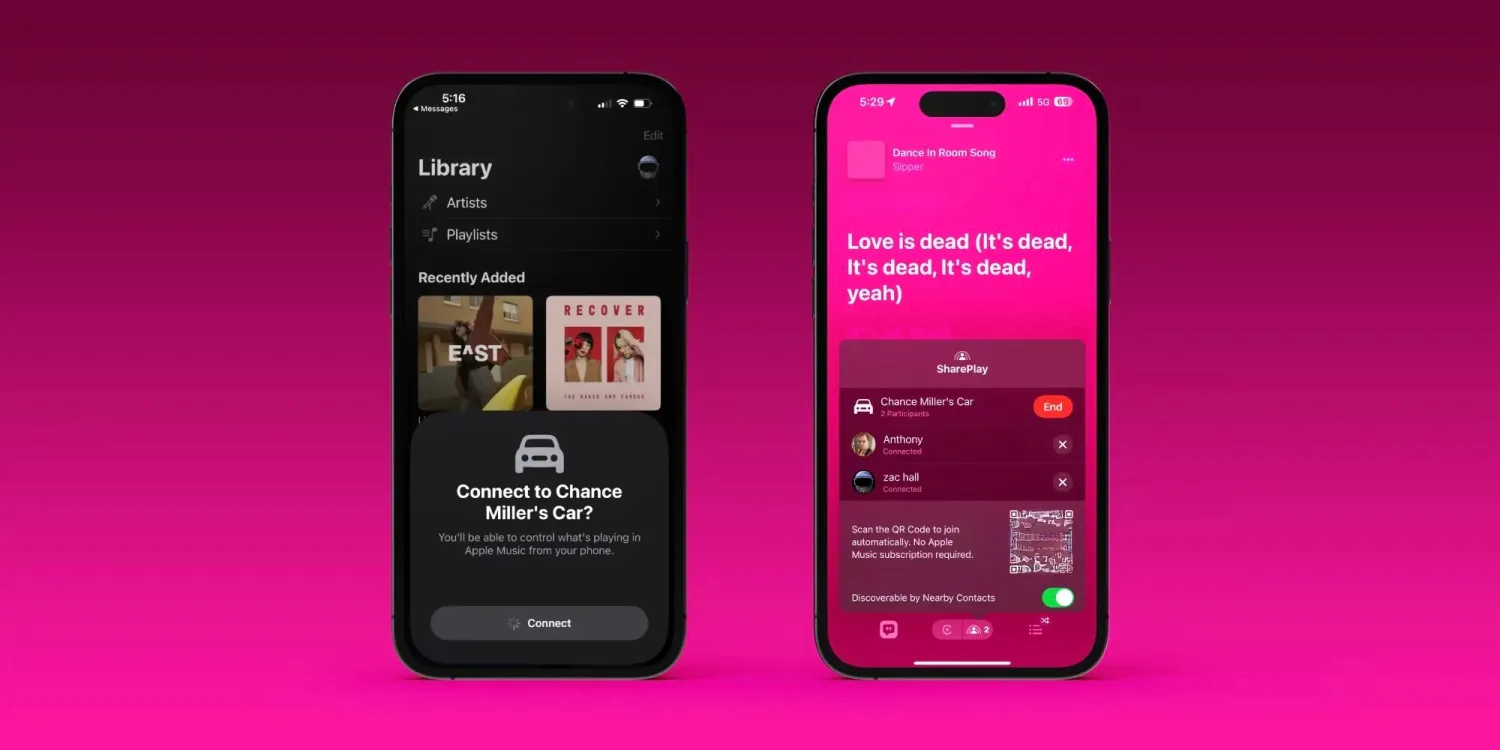
The process of initiating a SharePlay session in CarPlay is a breeze. On the Apple Music Now Playing screen, there’s a new SharePlay icon in the upper-right corner. Tapping on this will bring up a QR code that other people can scan. Once they scan that QR code, you’ll receive a pop-up that tells you someone wants to join your SharePlay session.
Once you accept that request, the other person is able to control what’s playing via Apple Music. Interestingly, this works even if that other person doesn’t have an Apple Music subscription themselves.
I tested this with Zac, who was easily able to scan the QR code generated by CarPlay and join the SharePlay session in my car. He could add songs to the Apple Music queue, see what was currently playing, and play or pause content.





