
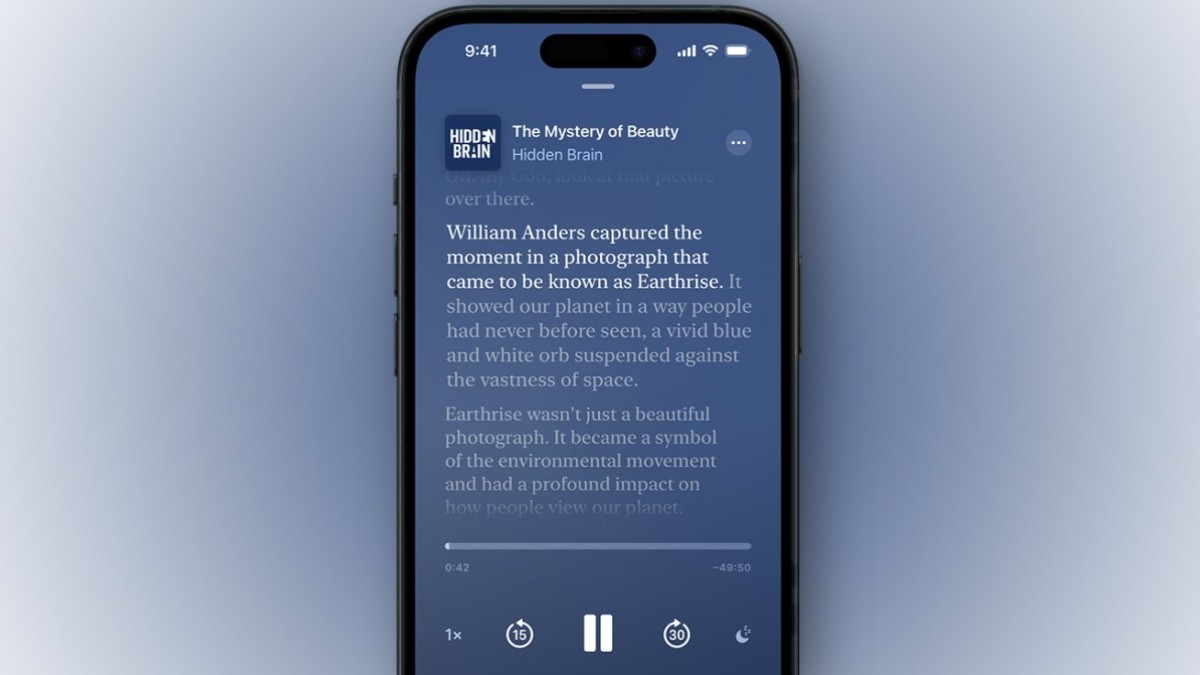
The introduction of auto-generated transcripts in the Apple Podcasts app through the iOS and iPadOS 17.4 update, as well as macOS Sonoma 14.4, marks a significant advancement in enhancing the podcast listening experience. This feature, initially supporting English, French, Spanish, and German-language shows, not only makes podcasts more accessible but also enriches user interaction with content. Here's a detailed guide on how to leverage this new functionality:
1. Update Your Device: Ensure your iPhone, iPad, or Mac is updated to the latest OS version supporting this feature (iOS/iPadOS 17.4 or macOS Sonoma 14.4).
2. Launch Apple Podcasts: Open the Apple Podcasts app on your device and select a podcast episode to play. This feature works with a wide range of podcasts, particularly those in the supported languages.
3. Accessing Transcripts: While the podcast is playing, look for a "speech bubble" icon at the bottom left of the "Now Playing" screen, which might be hidden behind a banner on older iPhone models. In such cases, either expand the banner to full screen or use the "three dots" menu at the top right for more options.
4. Navigate the Transcript: Upon tapping the speech bubble icon, the auto-generated transcript of the podcast will appear. Words are highlighted in real-time as they are spoken in the podcast. You can freely scroll through the transcript, and selecting any word will jump the podcast playback to that specific point in the episode.
5. Utilize Search Functionality: A search button located at the bottom of the transcript page allows you to search for specific words, phrases, names, or terms within the transcript. This tool is particularly useful for finding key parts of a discussion or for quoting specific segments. The search results show how often your term appears, and you can navigate through the mentions using "up" and "down" arrows, with the audio aligning to the selected mention.
6. Copy and Define Terms: The ability to highlight and copy text directly from the transcript enables users to easily share quotes or save snippets of interest. Additionally, unfamiliar terms can be defined, aiding in the comprehension and educational value of podcast content.
This feature significantly enhances the podcast listening experience by providing a text-based layer of interaction. It not only aids in comprehension and accessibility but also transforms how users can engage with, search, and utilize podcast content. Whether for educational purposes, sharing insights, or simply enjoying content in a more accessible format, the transcript feature in Apple Podcasts opens new avenues for experiencing audio content.





