
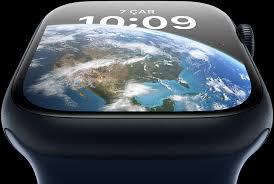
Pairing your Bluetooth earphones with your Apple Watch means you can play music even when your iPhone isn't nearby. If you have AirPods, there are no real steps involved to connect them to the Apple Watch. When you pair AirPods to your iPhone, they'll also be automatically linked to your Apple Watch, allowing you to seamlessly listen to music from either device. But what about other Bluetooth earphones? Do they work with the Apple Watch?
You can connect any Bluetooth headphones to the Apple Watch Series 8
You can pair any Bluetooth earphones with your Apple Watch Series 8 to play music or listen to audiobooks or podcasts, even if they're not from Apple or Beats.
If you have the cellular model of the watch, you can stream music from Spotify and Apple Music directly on the watch while leaving your iPhone at home. On Bluetooth-only models, you can download music files on the watch, so you can listen to music without your iPhone nearby or requiring an internet connection.
However, note that phone calls, voicemail, voice memos, and Siri will still be played through the speaker on the Apple Watch.
How to connect your Bluetooth earphones to the Apple Watch?
- Put them in pairing mode first.
- Now open the Settings app on your Apple Watch Series 8 and tap Bluetooth.
- Your earphones should show up under the list of available devices.
- Choose your Bluetooth device to complete the pairing process.
That's it. When you start streaming music using an app on your watch, it will be played through the connected earphones.





