
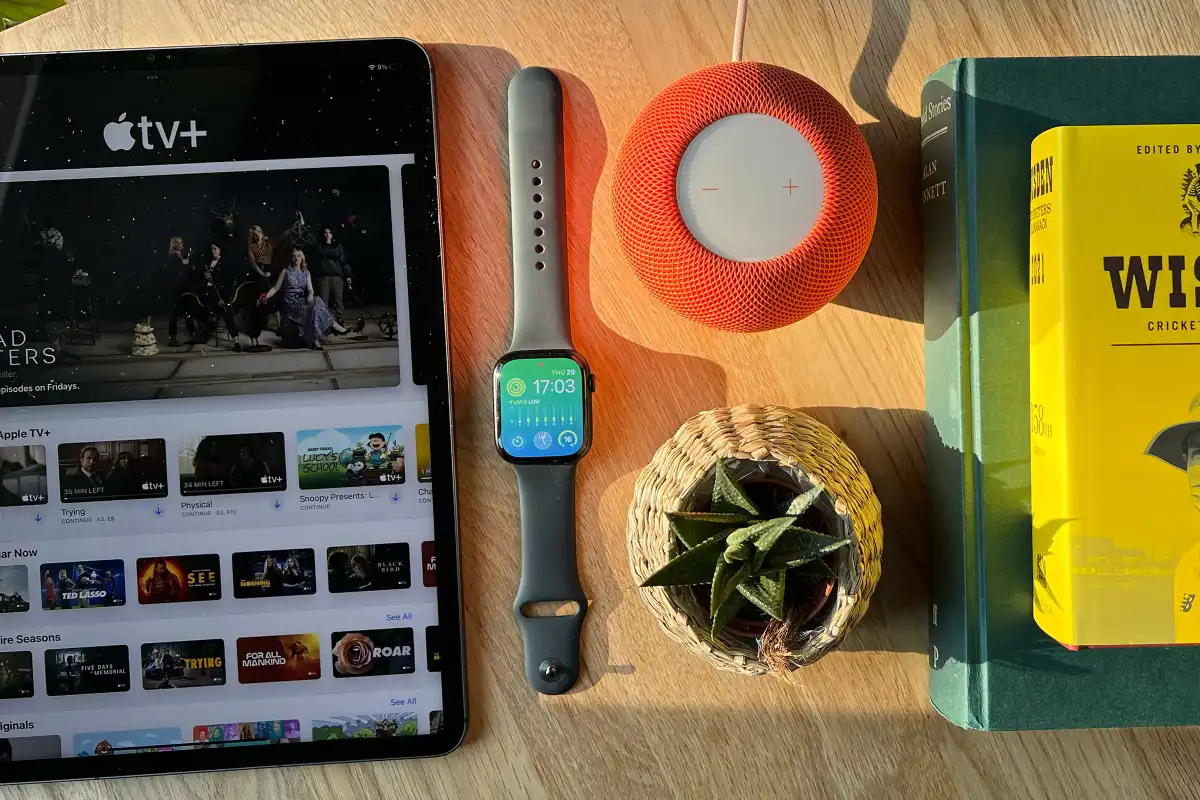
Which brings us to the Apple Watch Series 8. In a world where cheaper alternates exist (including Apple’s own new SE), the most interesting new features and design decisions have been confined to the Apple Watch Ultra, and there are very few changes from last year’s Series 7. So the question remains: Why would anyone choose the Series 8?
Design: Why mess with a classic?
Aside from some new colors and band options (which you can buy for the Series 7 too), there are no external differences between the Series 8 and Series 7, which may be disappointing news for potential upgraders. But this remains a classic design.
It’s a squircle (or rather, a rectircle, since the length is slightly greater than the width), that pleasing and quintessentially Apple shape, with smooth rounded corners that feel comfortable on the wrist. There’s an appealing contrast between the matte finish around the case and the gloss of the screen and underside, while the resistance of the Digital Crown dial is calibrated just right. It’s simply a nice object to look at and wear.
Other than the Digital Crown, you get a second button on the same side which is flush with the chassis of the watch. In theory it should therefore be harder to find without looking, but it really isn’t; the dial and the shape of the watch help you to find it instantly with no problems at all.
Physically the Series 8 should be perfectly capable of standing up to the wear and tear of daily life. I sustained only minor scratches on the screen of a Series 6 two years ago as a result of literally scraping it against jagged rock while lifting the cover on a well, and Apple has toughened up the front Ion-X display since then, as introduced on the Series 7.
Screen: Always on and always excellent
Aside from being difficult to crack, that display is bright, colorful and responsive. It’s no longer the biggest Apple Watch screen–that honor now belongs to the 49mm Apple Watch Ultra–but there’s plenty of room for a wide range of information. I’ve been using the Modular watch face, for example, which features an astonishing six complications along with the time. These are all comfortably large and clear enough to read, in the dimmed screen just as on the bright one.
And that always-on screen, while again not new for this model (it was introduced way back on the Series 5, in fact), remains a valuable and thoughtfully executed feature. Gone are the days when you had to twist your wrist in just the right way to wake up the screen and check the time, while the dimmed and simplified Sleep Focus faces mean battery life remains solid.
While the Series 8 remains the same as the Series 7 in most respects, it has two flagship new features.
The most intriguing–and potentially lifesaving-is called crash detection, and follows a similar concept to the fall detection feature which debuted in the Series 4. Instead of monitoring your movements to detect when you’ve had a potentially serious fall, it tries to recognise the sounds and changes in acceleration characteristic of a car crash. This is supported by an impressive array of hardware sensors, including the microphone, GPS and barometer, plus an upgraded accelerometer and gyroscope.
Like fall detection, crash detection follows a dead man’s switch principle: it will assume the worst if you don’t manually tell it otherwise. If the algorithm decides, on the basis of the sensor data, that you’ve been in a severe crash, it will pop up a screen asking if you’re okay, then call emergency services if you don’t respond within ten seconds. The watch will also send its location to responders and the user’s emergency contacts.
It’s worth noting that this feature isn’t an Apple Watch exclusive, despite Apple’s explicit reference to the Series 8’s more powerful accelerometer: the same feature is also available on the new iPhones, which presumably have similarly powerful sensor arrays. But this also appears to mean that the feature doesn’t use the health readings–heart rate and body temperature, for example–that the watch is uniquely placed to assess. I’m no paramedic, but it strikes me that crash victims are likely to experience changes in heart rate that might help the algorithm to work out what’s happening. No doubt Apple has considered all this.
Still, there have been anecdotal reports of false positives on rollercoasters, as is detailed in this Reddit post. (Note that the user who began that thread experienced the false positives using an iPhone, not the Series 8.) One would imagine that the heart-rate graph of someone on a rollercoaster would be different to the sudden panic experienced by someone in a crash–but again, this is outside my area of expertise.
I’ve not experienced any false positives when doing sudden emergency stops in the car, starting and stopping on the train and so on, but I will admit that I haven’t got myself in any actual crashes to test the feature properly. One YouTuber has done precisely that, however, and over the course of three deliberate and slightly alarming collisions it seemed that the feature–again, on an iPhone rather than the watch–is effective both at raising the alarm in a genuine crash, and recognising and discounting milder prangs.
Ultimately it’s a difficult feature to assess, since it will (hopefully) be called upon so rarely. It may save your life, or it may have absolutely no effect on you whatsoever. Most users, we’d hope, will never see the warning screen at all–but it’s reassuring to know that it’s there.
Taking the temperature
The second significant new feature is a new temperature sensor–or rather, a pair of temperature sensors, one on the underside next to your skin, and another beneath the watch’s screen. Apple says this binary setup enables the watch to better account for changes in external temperature, but it’s still very cautious about offering any insights: the Health app will insist that it Needs More Data until it’s recorded your wrist temperature for five nights. And even then you’ll be given information in the form of variations from the baseline, rather than an on-demand temperature. It’s not a thermometer.
Wrist temperature might strike the reader as an odd thing to be measuring anyway. If a doctor said your wrist temperature, or indeed your temperature as a whole, was high or low, would you know what that signified? It’s not good, presumably, but do you need to be worried? How much of a difference from the baseline is cause for alarm?
As it happens, Apple is keen not to take the place of your friendly neighborhood medic, and emphasises that the Apple Watch’s temperature sensor “is not a medical device and is not intended for use in medical diagnosis, treatment, or for any other medical purpose.” So what is it for?
Just supplementary guidance, I suppose. You can simply treat the watch’s temperature insights as a scientifically non-rigorous warning about imminent health issues, and get yourself checked out just to be on the safe side. Even a device that isn’t medically certified can still be useful as an extra data point to help you know when to seek medical assistance. And for non-serious diagnoses such as jet lag or excessive alcohol consumption, you don’t need to get a doctor involved to gain from the information.
I suspect, however, that for many users the main significance of the temperature sensors will be their ability to feed into a secondary application: cycle tracking. By monitoring changes in nighttime temperature the Series 8 can estimate when ovulation has taken place, which has obvious benefits for family planning, and make more accurate period predictions. US readers in particular might debate the wisdom of entrusting such data to an app, but Apple is generally one of the better tech companies for privacy; the company insists that all health data collected by the Apple Watch is encrypted and cannot be accessed by Apple or any third party without your explicit consent.
Finally, while we’re talking about health features, it’s worth mentioning that the Apple Watch’s sleep tracking feature has got a lot better this year. In the past I’ve complained that it’s far less sophisticated than the tracking offered by rival wearables, but now you get broken-down times for Awake, REM, Core and Deep sleep phases, along with estimates of the actual sleep you’ve had as opposed to the time spent in bed. Note that this is a change in watchOS rather than something that’s specific to the Series 8, but it’s still a handy upgrade.
Specs and battery life: Largely the same
Aside from the upgraded accelerometer and gyroscope, the most obvious change to the Apple Watch’s specs list from last year is the new S8 chip. But the word “new” is doing quite a lot of heavy lifting there, since the S8 appears from identifier codes to be based around exactly the same CPU as the S7 and S6 chips in the previous two generations.
Other elements of the chip may have been tweaked since last year’s hardware, but the inclusion of the same CPU means you shouldn’t expect any improvements in processing power or speed compared to the Series 7. Then again, would you notice if the Series 8 was faster? I found it slick and instantly responsive in all the apps I tested, but the same was true of every Apple Watch I can remember using. This isn’t a use case where Apple needs to be pushing the performance envelope.
Apple estimates battery life as 18 hours, exactly as it did for the Series 7 and Series 6 before it. But (while your mileage may vary depending on usage) you can probably expect rather more.





