
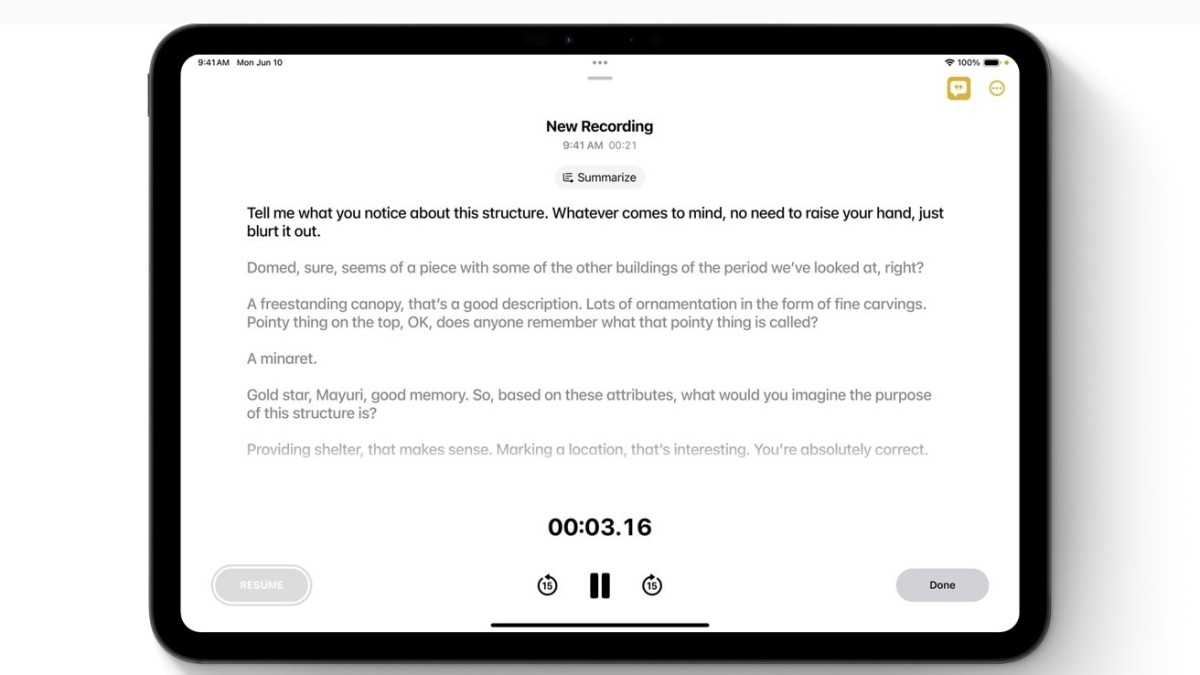
At its annual Worldwide Developers Conference (WWDC) 2024, Apple announced a significant upgrade to its Notes app, making it a must-have tool for productivity enthusiasts. With iOS 18, users can now record, transcribe, and summarize audio directly within the Notes app, thanks to the new Apple Intelligence.
Key Features
Audio Recording and Transcription: The latest update allows users to record audio directly within the Notes app. Previously, recordings had to be added post-facto. Now, recordings can be embedded in individual notes alongside images, tables, and text. Once the recording is complete, Apple Intelligence will transcribe the audio, making it easy to search and review.
Summarization: Apple Intelligence goes a step further by summarizing the recorded content, providing users with a concise overview of key points. This feature is also integrated into the Phone app, while the Voice Memos app will support transcription but not summarization.
Device Requirements
These advanced features will be available later this year on devices equipped with an A17 Pro or M-series chip, including the latest iPhones, iPads, and Macs. This means users will need an iPhone 15 Pro, an iPad with an M1 chip or newer, or a Mac with similar specifications to utilize Apple Intelligence.
Additional Enhancements
Image Playground Tool: This AI-powered tool allows users to generate images, which can be included in Notes alongside audio recordings.
Smart Script: This feature mimics handwriting on iPadOS 18, providing a more personalized note-taking experience.
Math Notes: Supports mathematical notation, making it easier for users to include complex equations and formulas in their notes.
Who Benefits?
Students: Students can record lectures and add relevant materials like whiteboard pictures and links, with summaries helping them quickly review key points.
Professionals: Business users can record meetings and conference calls, with AI-generated summaries simplifying the extraction of important details such as statistics and schedules.
Creatives: Authors and screenwriters can record story ideas, with transcriptions and summaries making it easier to organize concepts and characters.
Journalists: Journalists gain an efficient tool for recording and transcribing interviews, all while maintaining privacy since data processing is done on-device.
Competing with Third-Party Apps
By integrating these features into the Notes app, Apple aims to reduce reliance on third-party products like Microsoft's OneNote and Otter. The on-device processing ensures that sensitive data remains private, addressing a common concern with third-party apps.
Looking Forward
The updated Notes app was showcased alongside major upgrades to other Apple applications like Mail and Safari. Mail will soon feature on-device email categorization using machine learning, while Safari will introduce Highlights, offering key information and summaries of webpages.
These updates make Apple's Notes app an indispensable tool for anyone looking to enhance their productivity. Whether recording lectures, meetings, or brainstorming sessions, the new features ensure that users can capture, organize, and review information more efficiently than ever before.





