
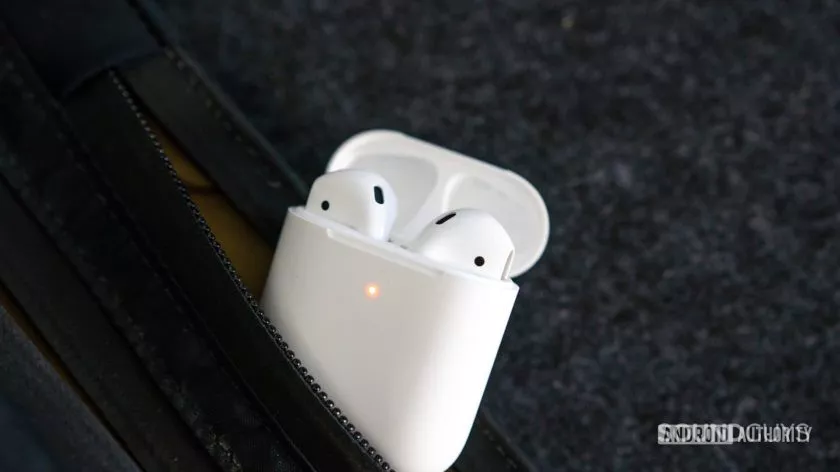
Apple AirPods: An overview
The first generation of AirPods debuted way back in 2016, as a Bluetooth true wireless earbuds version of the EarPods. You remember those, right? They were the wired earbuds that used to come with iPods and iPhones and were made famous by the dancing silhouettes in Apple’s TV commercials. And despite how widespread AirPods are these days, the original design was first met with some skepticism. Nevertheless, they have (obviously) proved quite popular.
Since then, you’ve probably heard of AirPods and seen them in the ears of many people on a train or bus. That sort of nearly-universal brand recognition is exactly what Apple is going far. Therefore, the company makes models to fit almost any kind of buyer.
Apple has made it easy to pop in a pair of AirPods and start listening to tunes right away — that's by design.
Apple clearly wants AirPods, no matter the specific variety, to tie in tightly with its other products. To that end, they’re positioned alongside the iPhone, iPad, and other Apple products as a comprehensive solution to all your audio needs. Credit where it’s due, it is indeed easy to pop any model of AirPods out of their case and sync them to an Apple device, ready to play your favorite tunes through Apple Music.
That vision for high adoption rates and tight ecosystem integration seems to be working well. It’s estimated that AirPods alone are a $10 billion (yes, with a “b”) business for Apple. In 2020 alone, Apple sold around 100 million AirPods of all types, so your perception that they seem to be everywhere is correct. For comparison, Apple sold 202 million iPhones in 2020 and it’s estimated around 50% of the entire company’s revenue comes from those sales. As you can see, AirPods are no small-time player.
To that end, Apple currently offers four models to choose from:
- AirPods (2nd generation): Introduced in March 2019, these are Apple’s most budget-minded and basic earbuds. They offer the fewest features but also the cheapest price.
- AirPods (3rd generation): Debuting in October 2021, they’re Apple’s middle-of-the-road earbuds. They give you slightly longer battery life, water resistance, spatial audio, and more, but not noise-cancelling.
- AirPods Pro (2nd generation): Introduced in September 2022, these earbuds give you everything found in the third-gen AirPods but their big distinction is active noise-cancelling (ANC), and true ear tips for actual passive isolation, in contrast to the unsealed fit of previous models.
- AirPods Max: Appearing in December 2020, the Max are Apple’s only pair of over-ear headphones. They offer ANC, lots of battery life, and plenty of high-tech features.
AirPods models: What are your options?
Now that we know what the intent behind AirPods is and the basics of each model, we can go over each of them in-depth to help you decide which, if any, would be right for you.
AirPods (3rd generation)
The AirPods (3rd generation) contain basically the core feature list of every model of AirPods, and other varieties either add or subtract from this so we’ll start here. Here’s a basic rundown of what you’ll get:
- Personalized Spatial Audio: This is Apple’s version of spatial audio. Basically, it simulates a surround sound experience as long as you have compatible content. As expected from Apple, you can find spatial audio tracks on Apple Music. “Personalized” means the buds scan your ears to tailor the experience to you.
- IPX4 rating: The AirPods (3rd generation) are IPX4 rated, meaning they can stand up to sweat and splashes.
- Lighting or MagSafe case: “Or” is the keyword here, as the AirPods (3rd generation) make you choose which one you prefer, you can’t have both.
- H1 chip: The H1 chip is how Apple gets the nearly-seamless connectivity between the AirPods and other Apple products. You’ll find it (or its successor the H2 chip) in every model of earbuds and headphones from the company.
But what really makes the AirPods (3rd generation) stand out is what you don’t get: ear tips. This generation of AirPods is totally unsealed. That means environmental noises will readily make it through to your ears and potentially interrupt your listening experience, which we definitely experienced. It also means the earbuds rely on being jammed into your ear to stay in place. Therefore, they could tumble out. It may also make them less comfortable, depending on the shape and size of your ears. This could also have an impact on their sound quality because if you can’t get a good fit outside noises might cause auditory masking.
As a result of these factors, we found the AirPods (3rd generation) to be decent overall. They’re easy to use with Apple devices, lightweight, and portable, but it’s hard for us to fully recommend unsealed earbuds. They might work for you during exercise such as running if you need to be constantly aware of your surroundings, however.
AirPods Pro (2nd generation)
Apple got the memo about unsealed earbuds eventually, and in response, the AirPods Pro came along. The AirPods Pro (2nd generation) are the latest in this line and their biggest features are active noise-cancellation and silicone ear tips. They’re also the most recent AirPods in general, being introduced in September 2022. You get everything the AirPods (3rd generation) have to offer, plus:
- Active and passive noise-cancelling: The AirPods Pro (2nd generation) come with four ear tip sizes, from XS to L, so listeners of varying ear sizes can achieve a good seal while the ANC takes care of even more distracting noises.
- Mags Safe and Lightning case: You don’t have to make a choice with the second-generation AirPods Pro as both charging options are available in the same case. Plus, it has a handy lanyard loop and small built-in speaker to help you locate it.
- H2 chip: The H1 chip is the secret sauce behind why it’s so easy to use AirPods with Apple’s other devices. It automatically handles device switching, so you don’t have to think about it, and the H2 chip is the latest version.
- U1 chip: Apple brought the U1 chip to the AirPods Pro (2nd generation)’s case, which can help you find it easier if you lose it.
These may seem like small upgrades, but in our experience, the AirPods Pro (of any generation) are much better than any unsealed model. They fit better, feel comfortable, and their ANC does a decent job at blocking out the world while the silicone tips isolate effectively. These are also the only AirPods to support Bluetooth 5.3, meaning they should eventually have LE Audio support — we’ll have to wait and see to make sure.
Still, most people will enjoy the AirPods Pro (2nd generation) when paired with an iPhone, and they’ll probably sound great, to boot. We had no complaints about the first-gen AirPods Pro in terms of sound quality, and we don’t expect the second-generation AirPods Pro to change this. Being the latest model also means Apple is likely to support them for a while.
AirPods Max
True to their name, the AirPods Max are the biggest AirPods around. Unlike every other model, they are over-ear Bluetooth headphones, not earbuds. Despite their different design, you still get Personalized Spatial Audio and ANC. In addition, these headphones offer:
- Long battery life: A bigger pair of headphones means more room for batteries, and the AirPods Max can get up to 20 hours of listening time, according to Apple.
- Smart Case: The Smart Case is not a charging case. It’s just a place to stow your AirPods Max when not in use.
- Wired audio via Lightning: If you spend another $35, you can get a Lightning-to-3.5mm cable from Apple for wired listening.
- Color options: The Max are the only model of AirPods to come in other colors than white (which Apple calls Silver), including Space Gray, Pink, Green, and Sky Blue.
We were certainly impressed by the AirPods Max noise-cancelling, which beat out the Sony WH-1000XM4 upon the Max’s introduction. Since then, they’re mostly on par with the likes of the Sony WH-1000XM5, which means they have some of the most effective ANC out there.
However, we do have some complaints about the Max. Namely, the fact you have to buy an additional, proprietary cable to get wired listening is annoying. Also, the Smart Case is effectively the “off” button. That’s right, you cannot turn the AirPods Max off via a simple button press. You have to put them back into the case as if they were earbuds. Otherwise, they only enter a low-power sleep mode after remaining on for a few hours.
In general, we liked the build and sound quality along with the comfort of the AirPods Max, and if you want excellent ANC and an over-ear form factor, they’ll do great. It’s just that they have some weird quirks we didn’t expect to see from flagship headphones.
AirPods Pro (1st generation)
The AirPods Pro (1st generation) were Apple’s first noise-cancelling true wireless earbuds, and they made a big splash upon their introduction. And for good reason; we finally had Apple earbuds with the ability to seal into our ear canals.
While the second-generation AirPods Pro are here now, the first-gen is now likely to be cheaper while offering similar features. Here’s what you get if you snag a pair, in addition to the usual set of AirPods (3rd generation) features such as Personalized Spatial Audio and an IPX4 rating:
- ANC and ear tips: The AirPods Pro (1st generation) do a decent job cancelling out noise while the three sizes of ear tips provided take care of high-frequency noises.
- MagSafe and Lightning: No need to choose which case you want, the AirPods Pro (1st generation) come in a case that supports both.
The AirPods Pro (1st generation) are rated for shorter battery life than the follow-up second-generation Pro at five hours. Apple’s estimate is accurate according to our tests, so that’s a plus.
If it seems like that second-generation AirPods Pro are an incremental update, you’d be right. Still, the AirPods Pro (1st generation) give you almost the same experience at what may be cheaper prices now that their successor is here. If you choose them, you’ll likely be happy with their sound quality and overall feature set. They don’t do ANC as well as the AirPods Pro (2nd generation), so keep that in mind if you need to keep out as much noise as possible.
AirPods (2nd generation)
All of the other models of AirPods we have discussed so far refine upon the AirPods (3rd generation) by including ear tips and ANC or morphing into over-ear headphones. In contrast, the AirPods (2nd generation) stand out for subtracting features from this base formula. However, they are the least expensive earbuds in Apple’s lineup.
It’s actually more informative to talk about what the AirPods (2nd generation) don’t do than what they can do:
- Unsealed design: No ear tips or ANC to be found here.
- No spatial audio: These are the only model of AirPods to not offer Personalized Spatial Audio support.
- No water resistance: You won’t find an IP rating on the AirPods (2nd generation).
Like all models of AirPods, you still get the H1 chip, so using the second-generation AirPods with other Apple devices should be simple enough. But otherwise, we liked the third-generation AirPods slightly more, at the end of the day. Additionally, both are unsealed, so sound quality might be impacted by auditory masking with the AirPods (2nd generation).
However, if you just want to casually listen to tunes or audiobooks and don’t want to think too much about getting your earbuds working with an iPhone, the AirPods (2nd generation) can do that. And they are cheaper than any other AirPods model, so you won’t have to shell out much to get the experience.
AirPods, compared
Here’s every model of AirPods at a glance, including their basic design features and what you get if you choose a particular pair:
Three reasons to buy AirPods
Before you hit “buy” on a pair of AirPods, it’s worth considering why you might want them. Other than the obvious answer of needing headphones or earbuds, you may want to take stock of what’s important to you and how you plan on using your AirPods before purchasing. Here are some reasons why you’d want to go ahead and make the jump.
You ride and die for Apple’s ecosystem
Do you always buy the latest iPhone the instant it drops? Are you obsessed with Apple silicon? If you answered yes to any of these questions, the AirPods would be an obvious yes for you. All models of AirPods work nearly perfectly with other Apple products. As mentioned, the H1 and H2 chips make that certain, and Apple’s walled garden has plenty of fruits for you, too.
Within Apple’s ecosystem, you get seamless spatial audio support, device switching, and even customer service. You can stick all your Apple devices including your AirPods under the same Apple account and they’ll all recognize each other. That means your Apple TV can automatically sync with your AirPods, for instance, without you having to go through a pairing process.
And if all your friends are Apple die-hards, too, you can use audio sharing with any model of AirPods to enjoy tunes together. That’s not easily done with other brands of earbuds or headphones in general.
You care about sound quality but don’t want to worry about it too much
We liked the sound quality of every model of AirPods except the unsealed second- and third-generation AirPods. None of the sealed or over-ear AirPods crank up the bass too much or assault you with wonky frequency response curves. It’s that kind of set-it-and-forget-it quality that Apple is known for, and the AirPods keep on track.
That does mean no model of AirPods, even the Max, comes with an equalizer. You can use Apple Music to EQ your AirPods, but the changes won’t stick through a power cycle or across devices. But you likely won’t feel compelled to EQ the AirPods we liked the vast majority of the time. As mentioned, they sound pretty good right out of the box.
You’re not all that tech-inclined
Maybe you don’t always wait in line for the latest iPhone and your Mac isn’t the latest and greatest, even then, the AirPods are still going to be an easy choice for casual Apple users, too. Despite all the technology that goes into them, most people won’t have to worry about the specifics during daily use.
If you find the thought of syncing Bluetooth headphones headache-inducing and meddling around in headphone manufacturer’s apps all day just to get your buds working sounds exhausting, the AirPods avoid all this. You can just pop them out of the case and into your ears and get about your day. If they don’t work, the steps to troubleshooting AirPods are also usually straightforward, so that should save you more frustration.
Apple even offers replacement AirPods if you lose one — you will have to pay for a replacement bud, though. And third-party suppliers have stepped into this realm as well, so if you are always misplacing earbuds, you can get another one. On a similar note, Apple’s Find My service makes it simple to locate lost headphones and earbuds using your Apple account.
Three reasons to avoid AirPods
On the flipside, there are some downsides to owning AirPods you should think about. Whether you’re an Android user or concerned with pricing, the drawbacks of AirPods can’t go ignored, either. Here are some of the top reasons you may want to avoid AirPods.
You’re an Android user
Android is obviously not Apple’s key market — they’re competitors after all. As a result, the AirPods don’t work all that great on Android devices. They are Bluetooth headphones or earbuds, so they will connect, but that’s about all you get.
Android users don’t get spatial audio, automatic device switching, and a whole host of other perks that iPhone owners enjoy. Most crucially, AirPods of any model only offer the SBC and AAC Bluetooth codecs. AAC works great on iOS, but it’s less consistent on Android. That might mean latency leading to audio and video no longer being in sync, for instance.
You also cannot update the AirPods firmware without an iOS device or Mac nearby. So, if Apple releases new features or bug fixes, you won’t get to enjoy them. In short, if you’re on Android, there are better options out there.
You want to save some cash and don’t care about status symbols
AirPods are expensive, there’s no getting around that. Apple seldom puts them on sale, though sometimes you can snag them for slightly lower prices on Amazon, for instance. Still, there are cheaper true wireless earbuds around.
A lot of these alternatives have more to offer than the AirPods, too, though they may not look as sleek. For instance, the Sennheiser CX Plus True Wireless have ANC, aptX Bluetooth codec support, a useful app, and an IPX4 rating. If you do have some lingering AirPods envy, the Nothing Ear 1 exist to fill that niche.
You demand the ability to tinker with your headphones and earbuds
Apple isn’t known for configurability and customization much these days. While the AirPods work well out of the box, you don’t get to tweak them all that much. If you’re the kind of person that demands fine-grained control over your listening experience, AirPods likely won’t fit the bill.
For that, you can turn to options like the Anker Soundcore Liberty Air 2 Pro. You get an equalizer in their app along with various ANC settings to tinker with. And the inclusion of nine ear tip sizes means you can achieve just the right fit. Along with all this, LDAC Bluetooth codec support not only means reliable Android connectivity but even more chances to customize your sound.
Similarly, the awkward quirks and limitations of the AirPods Max might bother people who demand their over-ear headphones work the way they want. Instead, you could snag the Sony WH-1000XM5 and get more customizability, not to mention an EQ and LDAC support, too.
Alternatives: What to buy if AirPods aren’t your thing
Upon reflection and deciding that AirPods aren’t for you, there are still many other options to consider. The world of true wireless earbuds is vast, and here are some recommendations you could consider instead of Apple’s offerings.





