
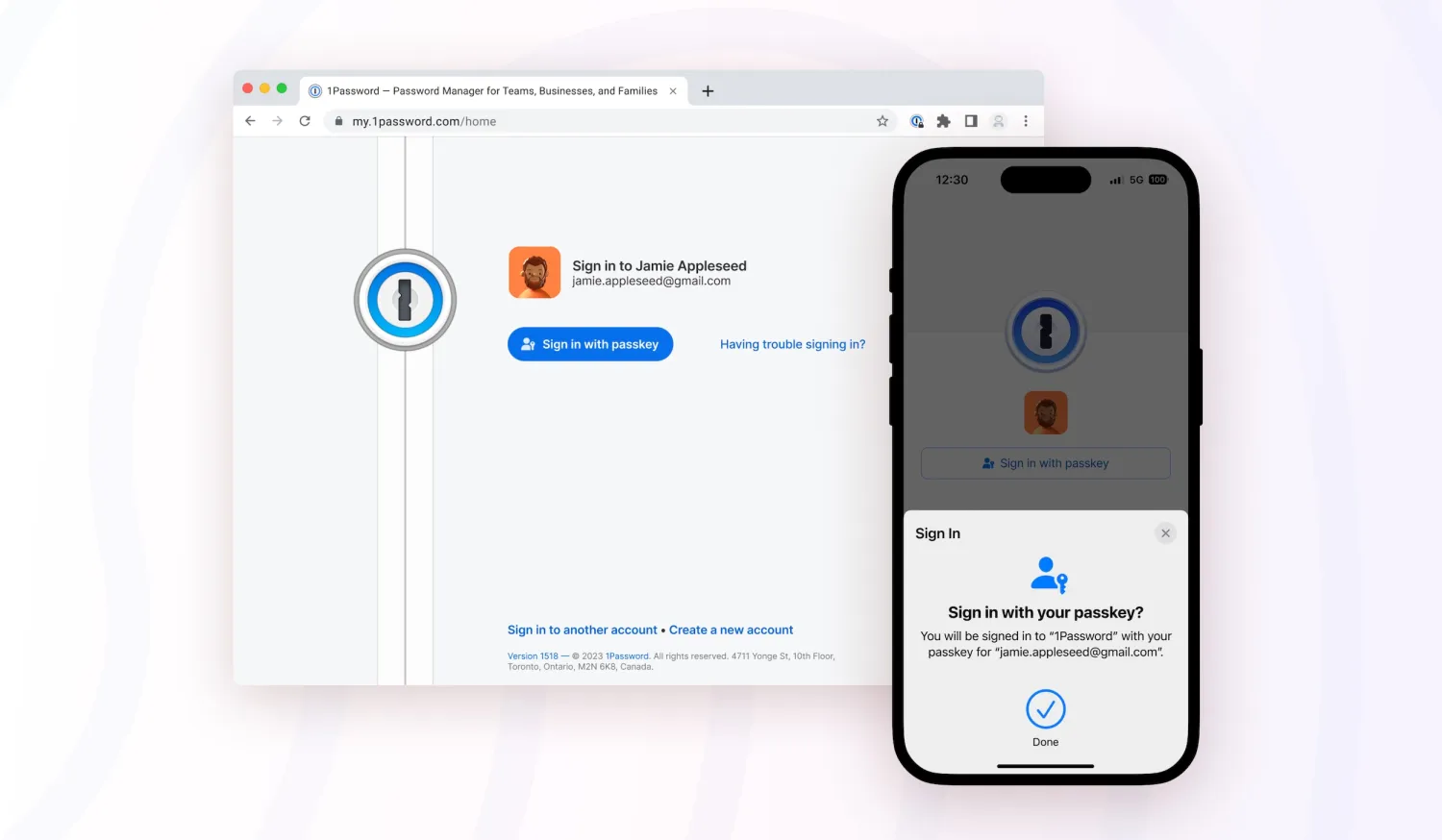
Unlocking your 1Password vault with passkeys
For those unfamiliar, passkey is a new technology developed by the FIDO Alliance in partnership with companies such as Apple, Google, and Microsoft. Instead of traditional passwords, users can now sign in with secure authentication methods such as facial recognition or biometrics without ever having to create and type in a passcode.
Apple platforms have provided support for passkeys since 2022 with iOS 16 and macOS Ventura, and support was extended to third-party apps with iOS 17 and macOS Sonoma. And while 1Password has already been working on a new version of its app that will let users store and sign in with passkeys in iOS 17, there’s another new feature coming soon.
Later this year, 1Password users will be able to replace the traditional vault password with a passkey. 9to5Mac was invited to try out the new feature in advance, and it works pretty seamlessly. 1Password asks users if they want to enter a passkey. Then all you need to do is confirm and authenticate with Face ID or Touch ID.
After that, the app will assign a passkey to your vault. Now, whenever you need to sign in on a new device, you won’t have to worry about remembering your passkey. Just use Face ID or Touch ID to authenticate with the passkey. If you try to log in on another device that doesn’t have your passkey stored, there’s the option to scan a QR Code on your iPhone or iPad to authenticate.





